Set Up a Staging Environment for Your Website: Safe Development and Deployment
It allows you to test changes, updates, and new features without affecting the live site.
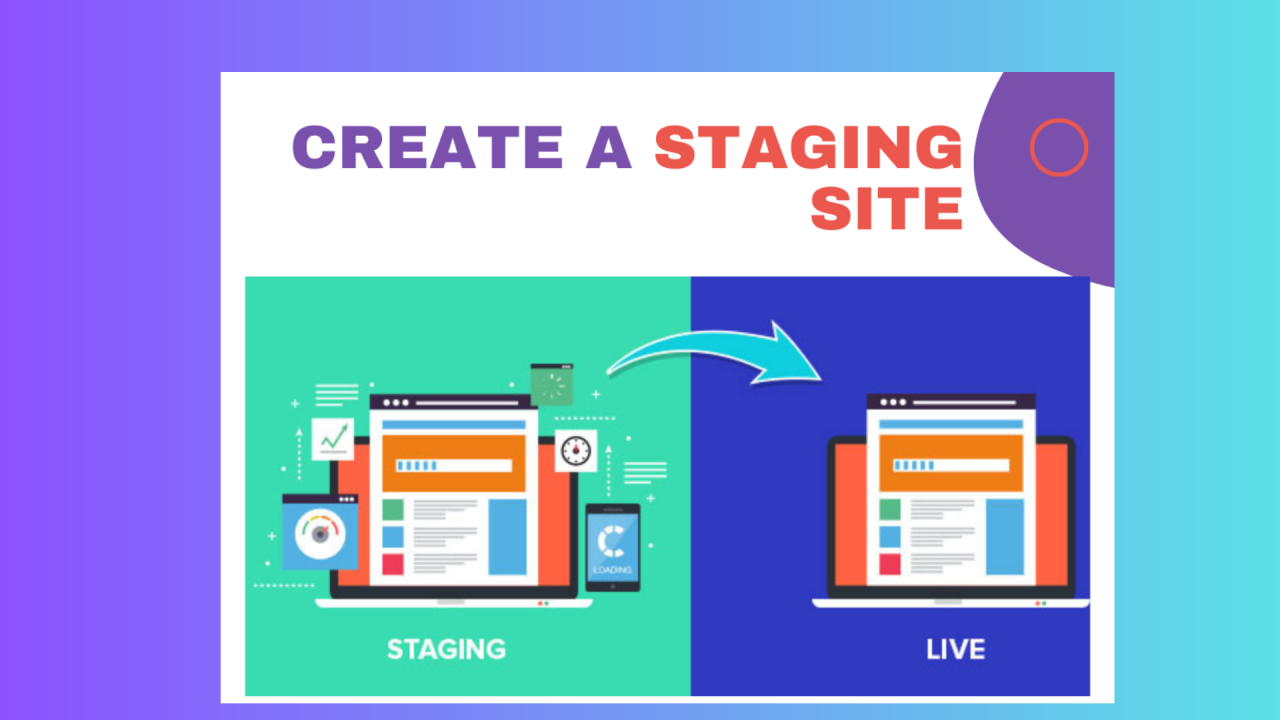
Creating a staging environment is crucial for website development and maintenance. It allows you to test changes, updates, and new features without affecting the live site. This article provides a step-by-step guide on how to set up a staging environment for your website, ensuring smooth development and deployment processes.
Why Use a Staging Environment?
-
Risk Mitigation
- Safe Testing: Test new features, plugins, and updates without impacting the live site.
- Error Prevention: Identify and fix bugs in a controlled environment before they reach your users.
-
Improved Workflow
- Collaboration: Enable multiple team members to work on the website simultaneously without disrupting the live version.
- Feedback and Approval: Gather feedback and approvals on changes before they go live.
-
Seamless Deployment
- Smooth Launches: Ensure changes are fully tested and ready for deployment, minimizing downtime and user disruption.
- Rollback Options: Easily revert to the previous version if issues arise during deployment.
Steps to Set Up a Staging Environment
-
Choose a Staging Method
- Subdomain: Create a subdomain like
staging.yourdomain.comto host the staging site. - Subdirectory: Use a subdirectory within your existing domain, such as
yourdomain.com/staging. - Separate Server: Use a separate server to replicate your site, ideal for large-scale projects.
- Subdomain: Create a subdomain like
-
Copy Your Website Files and Database
- Manual Copy: Use FTP to download your website files and export the database using a tool like phpMyAdmin. Upload these to your staging environment.
- Hosting Tools: Many hosting providers offer one-click staging setups that automatically create a copy of your site.
-
Configure the Staging Environment
- Database Configuration: Update database configuration files (e.g.,
wp-config.phpfor WordPress) with the new database credentials for the staging environment. - URLs and Paths: Update URLs and paths in your database and configuration files to reflect the staging domain or directory.
- Database Configuration: Update database configuration files (e.g.,
-
Set Up Access Restrictions
- Password Protection: Use .htaccess or your hosting control panel to password-protect your staging site, preventing unauthorized access.
- No-Indexing: Ensure search engines do not index your staging site by using a
robots.txtfile or meta tags.
-
Synchronize Data Regularly
- Automated Syncs: Use plugins or scripts to keep your staging environment updated with the latest data from your live site.
- Manual Updates: Regularly update the staging site with changes from the live site to maintain consistency.
-
Test Changes Thoroughly
- Functionality Testing: Test all features, forms, and scripts to ensure they work as expected.
- Compatibility Checks: Verify compatibility across different browsers and devices.
-
Deploy Changes to the Live Site
- Backup First: Always back up your live site before deploying changes from the staging environment.
- Incremental Deployment: Deploy changes incrementally to minimize potential issues and simplify troubleshooting.
Tools and Resources for Setting Up a Staging Environment
- WordPress Plugins: Use plugins like WP Staging or Duplicator to create and manage a staging site.
- Hosting Provider Tools: Many hosts, such as Bluehost, SiteGround, and WP Engine, offer built-in staging environments.
- Version Control Systems: Use version control tools like Git for tracking changes and managing deployments.
Conclusion
Setting up a staging environment is an essential practice for website development and management. It allows you to test and refine changes before they impact your live site, ensuring a seamless user experience and reducing the risk of errors. By following these steps, you can create an effective staging environment and streamline your website development workflow.
Table of Contents
Share this article
Get More Insights
Subscribe to our newsletter for weekly cloud tips.
Related Articles
View All →
Comprehensive Guide to Managing Domains for Web Hosting
Effective domain management is essential for ensuring a seamless user experience. This article provides a detailed, keyword-rich guide for web hosting companies on managing domains, covering key processes such as domain registration, DNS configuration, domain transfers, and renewals.
How to Use a CDN to Boost Your Website’s Speed and Reliability
A Content Delivery Network (CDN) is a system of distributed servers that deliver web content to users based on their geographic location.

customer satisfaction checklist
Delighting customers goes beyond satisfying their basic needs and expectations; it involves exceeding their expectations, providing exceptional experiences, and building long-term relationships.
Ready to optimize your hosting?
Explore our enterprise-grade hosting plans designed for speed, security, and scale.