How to Reduce Website Downtime: Proven Strategies for Maximum Uptime
Website downtime can hurt your business, SEO, and user trust. Learn how to minimize outages with expert strategies—choosing reliable hosting, optimizing server performance, using CDNs, and monitoring uptime. Discover actionable tips to keep your site running smoothly and avoid costly disruptions.

Website downtime is a nightmare for businesses, bloggers, and online services. Every minute your site is offline, you lose visitors, revenue, and search engine rankings. Studies show that 99.9% uptime is the gold standard, but even a 0.1% downtime means 43 minutes of outages per month—enough to damage credibility.
Why Website Downtime is Harmful
Before diving into solutions, let’s understand the impact of downtime:
-
Lost Revenue – E-commerce sites lose $5,600 per minute on average during outages (source: Amazon, Shopify).
-
SEO Damage – Google penalizes frequently down sites by lowering rankings.
-
Poor User Experience – Visitors abandon slow or inaccessible sites, increasing bounce rates.
-
Reputation Loss – Frequent downtime makes your brand seem unreliable.
Common Causes of Website Downtime
1. Poor Hosting Provider Reliability
Cheap shared hosting often leads to server overloads and unexpected crashes.
2. Server Overload & Traffic Spikes
Sudden traffic surges (e.g., viral content, Black Friday sales) can crash underpowered servers.
3. Software & Plugin Conflicts
Outdated CMS (WordPress, Joomla), plugins, or themes can cause crashes.
4. DDoS & Cyberattacks
Malicious attacks overwhelm servers, forcing them offline.
5. Human Error & Misconfigurations
Incorrect server settings, faulty updates, or accidental file deletions can trigger downtime.
6. DNS & SSL Issues
Expired SSL certificates or misconfigured DNS records prevent site access.
How to Reduce Website Downtime: 10 Effective Strategies
1. Choose a Reliable Web Hosting Provider
-
Avoid cheap shared hosting – Opt for VPS, Cloud, or Dedicated Servers for better stability.
-
Look for 99.9%+ uptime guarantees – Check reviews and third-party uptime reports (e.g., UptimeRobot).
-
Top hosting providers with strong uptime:
-
Kinsta (99.99%)
-
SiteGround (99.98%)
-
Cloudways (99.99%)
-
2. Use a Content Delivery Network (CDN)
A CDN (Cloudflare, Akamai) distributes your site across multiple servers worldwide, reducing server load and improving uptime.
3. Enable Automatic Backups
-
Schedule daily backups (via hosting or plugins like UpdraftPlus).
-
Store backups offsite (Google Drive, AWS S3).
4. Monitor Uptime with Real-Time Alerts
-
Uptime monitoring tools (UptimeRobot, Pingdom) notify you immediately if your site goes down.
-
Set up SMS/email alerts for quick response.
5. Optimize Server Performance
-
Enable caching (Redis, Varnish, WP Rocket).
-
Use LiteSpeed or NGINX instead of Apache for faster load times.
-
Optimize databases (remove spam comments, unused plugins).
6. Prevent DDoS Attacks
-
Use a Web Application Firewall (WAF) (Cloudflare, Sucuri).
-
Enable rate limiting to block brute-force attacks.
7. Keep Software Updated
-
Update CMS, plugins, and themes regularly.
-
Remove unused plugins to reduce vulnerabilities.
8. Implement Load Balancing
-
Distribute traffic across multiple servers to prevent overload.
-
Use auto-scaling (AWS, Google Cloud) for traffic spikes.
9. Fix DNS & SSL Issues
-
Set DNS TTL to a low value (300 seconds) for faster updates.
-
Auto-renew SSL certificates (Let’s Encrypt).
10. Have a Disaster Recovery Plan
-
Define steps for quick restoration (backup, server migration).
-
Test recovery procedures periodically.
How to Check if Your Website is Down
Use these tools to monitor uptime:
-
UptimeRobot (Free)
-
Pingdom (Paid)
-
Google Search Console (Downtime alerts)
Table of Contents
Share this article
Get More Insights
Subscribe to our newsletter for weekly cloud tips.
Related Articles
View All →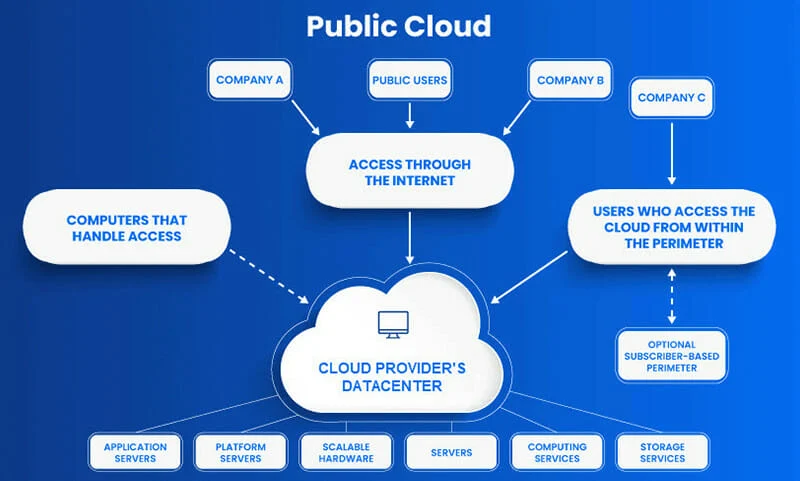
Unleashing Agility: The Power of Public Cloud Servers
Public cloud servers represent a transformative force in modern IT infrastructure, offering businesses and individuals unparalleled flexibility, scalability, and cost-efficiency.

2025 SEO Mastery: AI, Quantum Tech & Green Strategies to Dominate Search
2025 demands quantum-safe SEO, 6G-optimized hosting, and AI-driven content to dominate rankings. Secure sites with post-quantum encryption, leverage 6G speeds for instant loads, and adopt carbon-neutral hosting to meet Google’s green mandates. Future-proof with neural search optimization and ethical AI. Stay ahead—transform your strategy now.
_1744192174.png)
403 Forbidden Errors in 2025: Solving File Permission and Security Rule Challenges
Encountering a 403 Forbidden error in 2025? This frustrating "Access Denied" message often stems from misconfigured file permissions or strict security rules. Learn how to diagnose and resolve these issues with modern tools, updated troubleshooting steps, and 2025’s best practices for web security. From AI-driven diagnostics to zero-trust frameworks, discover how to prevent 403 errors and ensure seamless user access.
Ready to optimize your hosting?
Explore our enterprise-grade hosting plans designed for speed, security, and scale.