7 Red Flags Your Web Host is Failing (How to Migrate Without Losing SEO)
Is your web hosting provider slowing your site, causing downtime, or risking security? Slow loading speeds, frequent outages, and lack of SSL certificates can tank SEO rankings and user trust. Discover the 7 red flags your host is failing—and follow our step-by-step guide to migrate seamlessly. Protect your traffic, rankings, and revenue by switching to a reliable, SEO-friendly hosting solution today.

Is your web host sabotaging your site’s success? Your web hosting provider is the backbone of your online success. A poor host can cripple your SEO rankings, drive away visitors, and expose your site to security risks. But how do you know when it’s time to switch web hosts?
1. Consistently Slow Loading Speeds
Slow loading speeds are one of the most glaring signs your web hosting provider isn’t keeping up. Google’s Core Web Vitals prioritize page speed, and delays as short as one second can reduce conversions by 7%. Overloaded servers, outdated hardware, or lack of CDN integration often cause sluggish performance.
How to Fix It
Test your site’s speed using tools like Google PageSpeed Insights or GTmetrix. If your server response time exceeds 500ms, consider migrating to a host with LiteSpeed servers, SSD storage, or built-in CDN support. Providers like Cloudways and A2 Hosting specialize in speed optimization for better SEO outcomes.
2. Frequent Downtime
Frequent downtime is a major red flag for unreliable web hosting. Even 99% uptime translates to 87 hours of annual outages, risking lost revenue and SEO penalties. Search engines demote sites with poor uptime guarantees, as inconsistent accessibility harms user trust.
How to Monitor and Resolve
Use uptime monitoring tools like UptimeRobot to track outages. If your provider’s uptime falls below 99.9%, switch to hosts like SiteGround or Kinsta, which offer 99.99% uptime SLAs and compensation for downtime.
3. Poor Customer Support
Unresponsive customer support can escalate minor issues into SEO disasters. If your host takes hours to resolve server errors or lacks 24/7 assistance, your site’s uptime and security are at risk.
What to Look For
Prioritize managed WordPress hosting providers like WP Engine, known for round-the-clock expert support. Test response times via live chat or phone before committing to a new host.
4. Weak Security Features
A lack of security features like SSL certificates, malware scanning, or DDoS protection exposes your site to cyberattacks—and Google penalties. Over 10,000 sites are blacklisted daily for malware, making secure web hosting non-negotiable.
Upgrade Your Security
Migrate to hosts offering free SSL certificates (e.g., Bluehost) and automated backups (e.g., SiteGround). Enable web application firewalls (WAF) to block threats proactively.
5. Hidden Fees and Cost Surprises
Unexpected charges for domain transfers, backups, or SSL certificates strain budgets meant for SEO tools. Many budget hosts lure users with low introductory rates, only to hike prices at renewal.
Avoiding Hidden Costs
Compare web hosting renewal fees and read the fine print for “unlimited” plan limitations. Providers like Tbx Host offer price-lock guarantees to prevent surprises.
6. Outdated Technology
Legacy servers without HTTP/3, PHP 8.x, or staging environments limit performance and compatibility. Modern web hosting infrastructure is critical for optimizing Core Web Vitals and staying competitive.
Future-Proof Your Hosting
Choose providers like Kinsta or Nexcess that prioritize cutting-edge technology. Use staging environments to test updates without disrupting your live site.
7. Inability to Handle Traffic Growth
If your site crashes during traffic spikes or you’re hitting CPU/RAM limits, your host can’t scale with your success. Shared hosting often struggles here, while cloud hosting offers auto-scaling for traffic surges.
Scaling Solutions
Upgrade to VPS or cloud hosting providers like DigitalOcean or Cloudways. Managed WordPress hosts like Rocket.net specialize in scalability for high-traffic sites.
How to Migrate Without Losing SEO
-
Audit Your Site: Backup files and note redirects, canonical tags, and XML sitemaps.
-
Choose an SEO-Friendly Host: Prioritize CDN integration, free SSL, and staging environments.
-
Test the New Server: Use a staging site to check for broken links or functionality issues.
-
Update DNS Settings: Point your domain to the new host’s nameservers and wait 48 hours for propagation.
-
Monitor Post-Migration: Use Google Search Console to fix crawl errors and submit an updated sitemap.
FAQs
Q: How long does migrating web hosting take?
Most providers offer free migration services (24–72 hours). DIY transfers take 4–8 hours.
Q: Can I keep my SEO rankings after switching hosts?
Yes, if you maintain URL structures, avoid downtime, and update Google via Search Console.
Q: What’s the best hosting for SEO?
Look for SEO-friendly hosting providers with speed optimizations, uptime guarantees, and security features.
Conclusion
Ignoring red flags like slow speeds, downtime, or poor security risks your SEO and revenue. Migrating to a modern web hosting provider with scalability, uptime guarantees, and 24/7 support ensures your site stays competitive.
Table of Contents
Share this article
Get More Insights
Subscribe to our newsletter for weekly cloud tips.
Related Articles
View All →
Mobile-Friendliness in 2025: How AI, 6G, and Green Hosting Shape SEO Success
2025 demands mobile-first hosting with AI-optimized speed, 6G-ready edge servers, and quantum-safe security. Boost SEO via carbon-neutral infrastructure, slashing load times under 0.5s. Rank higher with eco-friendly, Google-approved sites.

How to Back Up Your Website Regularly: A Comprehensive Guide for Web Hosting-Users
Whether it’s due to a cyberattack, accidental deletion, or server failure, having a recent backup can help restore your site quickly and minimize downtime.
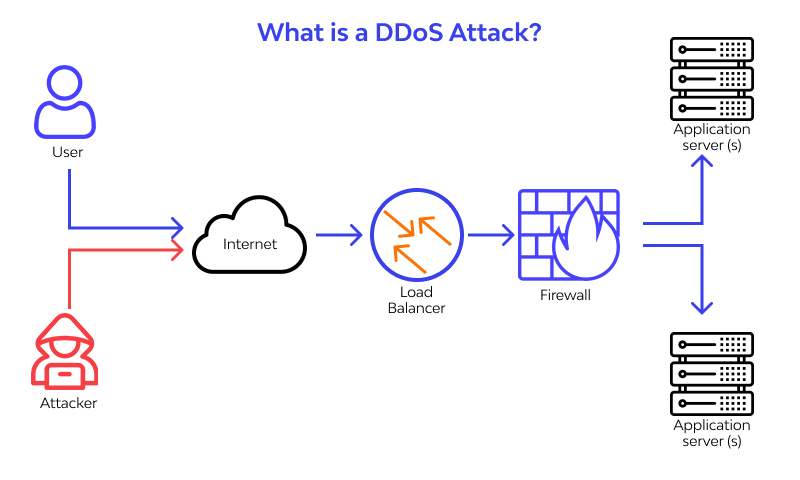
How to Prevent and Handle DDoS Attacks on Your Website
flooding a targeted server with traffic, overwhelming its resources and rendering the website unusable. These attacks can vary in complexity and scale, from small, short-lived disruptions to large, prolonged assaults.
Ready to optimize your hosting?
Explore our enterprise-grade hosting plans designed for speed, security, and scale.