Website Security Essentials for Your Small Business
Implementing robust website security measures not only protects your business but also instills trust and confidence among your customers.
Ensuring the security of your small business website is paramount. Websites face various cyber threats, from data breaches to malicious attacks, which can compromise sensitive information, damage your reputation, and disrupt business operations. Implementing robust website security measures not only protects your business but also instills trust and confidence among your customers. Here are essential tips and practices to enhance website security for your small business.
Understand Common Website Security Threats
Before implementing security measures, it's crucial to understand the potential threats your website may face:
-
Malware and Viruses: Malicious software can infect your website, steal data, or disrupt functionality.
-
Phishing Attacks: Cybercriminals may attempt to deceive users into revealing sensitive information through fake emails or websites.
-
Brute Force Attacks: Automated bots try to guess passwords to gain unauthorized access to your website.
-
SQL Injection (SQLi): Hackers exploit vulnerabilities in web applications to access or manipulate your database.
-
Cross-Site Scripting (XSS): Attackers inject malicious scripts into web pages viewed by other users.
Essential Website Security Practices
-
Keep Software Updated: Regularly update your website's CMS (Content Management System), plugins, themes, and other software to patch security vulnerabilities and protect against exploits.
-
Use Strong Passwords and Two-Factor Authentication (2FA): Enforce strong, unique passwords for admin accounts and implement 2FA to add an extra layer of security.
-
Secure Hosting and SSL Certificate: Choose a reputable hosting provider that offers secure hosting environments. Install an SSL (Secure Sockets Layer) certificate to encrypt data transmitted between your website and users.
-
Implement Web Application Firewalls (WAF): WAFs filter and monitor HTTP traffic to block malicious requests and protect against common web attacks.
-
Backup Regularly: Maintain regular backups of your website and store them securely offsite. In case of a security incident or data loss, backups ensure you can restore your website quickly.
-
Monitor and Audit: Monitor your website for suspicious activities, unusual traffic patterns, or unauthorized access attempts. Conduct regular security audits and vulnerability assessments to identify and address potential weaknesses.
-
Educate Employees: Train your employees on cybersecurity best practices, including recognizing phishing attempts, using secure passwords, and handling sensitive data securely.
Responding to Security Incidents
-
Have an Incident Response Plan: Develop and document an incident response plan outlining steps to take in case of a security breach. This plan should include notifying affected parties, mitigating damage, and restoring operations.
-
Monitor Legal and Regulatory Requirements: Stay informed about legal and regulatory requirements related to data protection and website security, such as GDPR (General Data Protection Regulation) or CCPA (California Consumer Privacy Act), and ensure compliance.
Building Trust with Customers
Investing in website security not only protects your business but also enhances customer trust and loyalty. Display trust badges, security seals, or privacy policies on your website to reassure customers that their information is safe. Communicate your commitment to website security through transparent practices and proactive measures.
Conclusion
Securing your small business website is essential for protecting sensitive data, maintaining business continuity, and safeguarding your reputation. By implementing these website security practices—understanding threats, keeping software updated, using strong passwords and 2FA, securing hosting, backing up data, monitoring and auditing, educating employees, preparing for incidents, and building customer trust—you can enhance your website's resilience against cyber threats and ensure a safe online experience for your customers. Prioritize website security as a fundamental aspect of your business strategy to mitigate risks and foster long-term success in the digital marketplace.
Table of Contents
Share this article
Get More Insights
Subscribe to our newsletter for weekly cloud tips.
Related Articles
View All →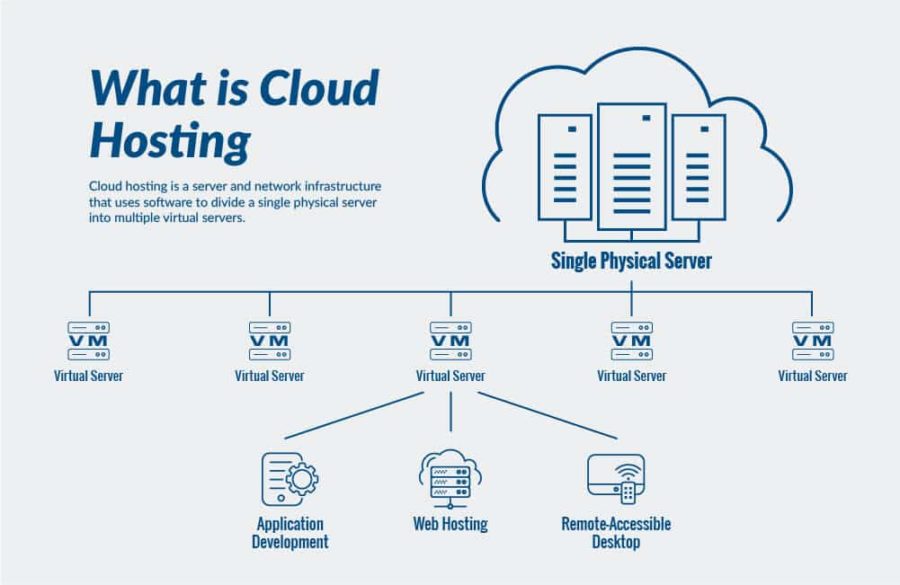
The Ultimate Guide to Cloud VPS Hosting: Elevate Your Website’s Performance
Cloud VPS hosting is a type of web hosting that uses virtualized server resources on a cloud infrastructure. Unlike traditional VPS hosting, where your site is hosted on a single physical server, Cloud VPS hosting distributes your site’s data across multiple servers. This setup enhances performance, reliability, and scalability.

How to Choose a Web Hosting Company: A Comprehensive Guide
Choosing the right web hosting company is a critical decision for anyone looking to establish an online presence. Whether you're starting a blog, setting up an online store, or building a portfolio, your web host will play a significant role in the success of your website.
Discover the Power of Web Hosting Reselling
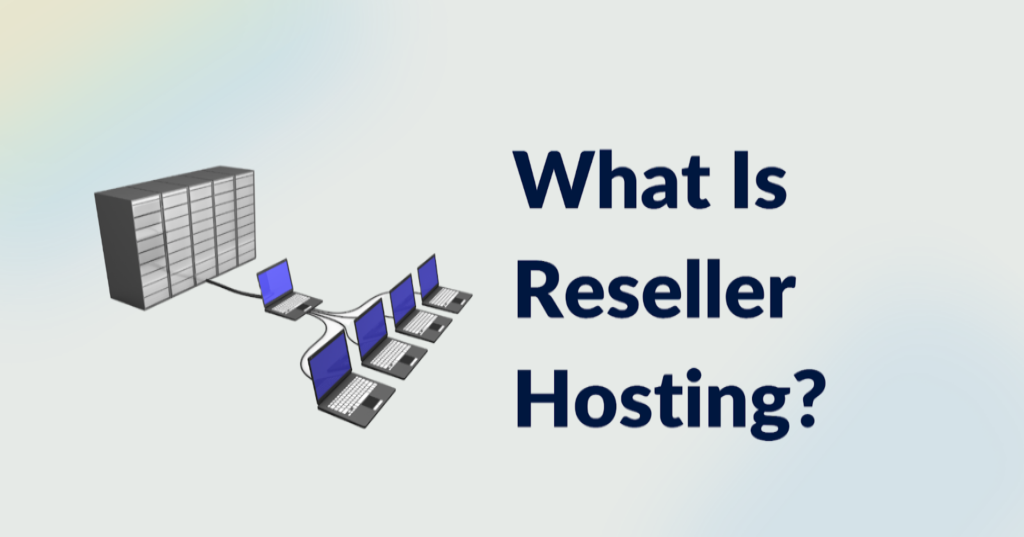
Web hosting reselling involves purchasing web hosting services from a parent provider and then reselling them to your clients under your brand. This allows you to offer web hosting services without the need to manage your servers and infrastructure.
Ready to optimize your hosting?
Explore our enterprise-grade hosting plans designed for speed, security, and scale.