Ultimate Guide to Choosing the Right CMS Platform for Your Website
CMS platforms provide an interface for creating, editing, and managing digital content on websites without requiring extensive coding knowledge.
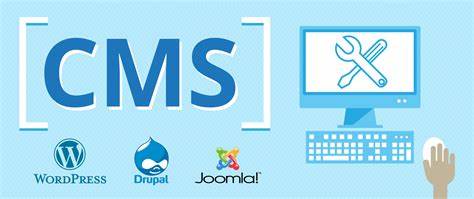
Selecting the right CMS (Content Management System) platform is crucial for building and managing a successful website. CMS platforms vary widely in terms of features, flexibility, ease of use, and suitability for different types of websites and users. This guide explores key considerations to help you make an informed decision when choosing a CMS platform for your specific needs.
Understanding CMS Platforms
CMS platforms provide an interface for creating, editing, and managing digital content on websites without requiring extensive coding knowledge. They streamline content publishing, facilitate collaboration, and offer various plugins and themes to customize website appearance and functionality.
Key Considerations for Choosing a CMS Platform
-
Ease of Use and User Interface:
- Consider your technical expertise and the CMS platform's user interface. Some platforms like WordPress offer intuitive dashboards and WYSIWYG (What You See Is What You Get) editors, ideal for beginners and non-technical users.
- Evaluate the learning curve and available resources (tutorials, documentation, support) to help you effectively use the CMS.
-
Customization and Flexibility:
- Assess the platform's flexibility in terms of customization. Platforms like Drupal and Joomla offer extensive customization options and are suitable for complex websites requiring specific functionalities.
- Look for a CMS with a diverse ecosystem of plugins, themes, and extensions to extend core functionality and tailor the website to your needs.
-
Scalability and Performance:
- Consider the scalability of the CMS platform to accommodate growth in content volume, traffic, and user interactions over time. Platforms like Magento and TYPO3 are known for handling large-scale websites and e-commerce stores effectively.
- Evaluate performance metrics such as page load speed, caching options, and database optimization features to ensure optimal website performance.
-
SEO and Digital Marketing Capabilities:
- SEO (Search Engine Optimization) is crucial for website visibility and organic traffic. Choose a CMS that supports SEO best practices, including customizable URLs, meta tags, XML sitemaps, and integration with SEO plugins like Yoast SEO (available for WordPress).
- Consider digital marketing features such as email marketing integrations, social media sharing capabilities, and analytics tools to track website performance and user engagement.
-
Security and Updates:
- Security is paramount in website management. Select a CMS platform with robust security features, regular security updates, and a proactive community or support team that addresses vulnerabilities promptly.
- Evaluate the platform's track record in security and adherence to industry standards like GDPR compliance for data protection.
-
Community Support and Documentation:
- Community support and documentation play a crucial role in troubleshooting issues, accessing resources, and staying updated with platform developments. Platforms with active communities (e.g., WordPress, Drupal) offer forums, user groups, and extensive documentation.
Popular CMS Platforms to Consider
- WordPress: Versatile, user-friendly, and suitable for blogs, small business websites, and e-commerce stores.
- Joomla: Flexible, scalable, and ideal for social networking sites, online forums, and complex websites.
- Drupal: Powerful, customizable, and preferred for enterprise-level websites, government portals, and community-driven platforms.
- Magento: Specialized in e-commerce, offering robust features for online stores and digital commerce solutions.
- Wix: User-friendly with drag-and-drop functionality, suitable for small businesses and portfolios.
Conclusion
Choosing the right CMS platform involves evaluating your specific requirements for usability, customization, scalability, SEO capabilities, security, and support. By carefully assessing these factors and understanding the strengths of different CMS platforms, you can select a platform that aligns with your business goals, enhances website functionality, and facilitates efficient content management and digital marketing efforts. Whether you're launching a blog, an e-commerce site, or a corporate portal, the right CMS platform sets the foundation for success in managing and growing your online presence effectively.
Table of Contents
Share this article
Get More Insights
Subscribe to our newsletter for weekly cloud tips.
Related Articles
View All →
How to Secure Your Website: Detailed Steps for Installing SSL Certificates on Your Hosting Account
Installing an SSL certificate is a crucial step in securing your website, protecting user data, and boosting SEO rankings. This comprehensive guide provides a detailed, keyword-rich walkthrough on how to install SSL certificates on your web hosting account.

Essential Tips to Launch Your Side Hustle Successfully
Starting a side hustle has become a popular way to explore passions, generate extra income, or even transition to full-time entrepreneurship.
Introduction to cPGuard's server security features
cPGuard, or Control Panel Guard, is a security solution specifically designed to enhance the security of web hosting environments, particularly those using cPanel and WHM control panels
Ready to optimize your hosting?
Explore our enterprise-grade hosting plans designed for speed, security, and scale.