Essential Plesk Extensions and Add-ons
significantly enhance the functionality and versatility of the Plesk control panel. By leveraging popular extensions for security, backup, email management, e-commerce, development, analytics, and integration, web hosting providers can tailor their Plesk environment to meet specific needs and improve overall efficiency.

Plesk, a leading web hosting control panel, offers a robust platform for managing web hosting environments. To extend its functionality and tailor it to specific needs, Plesk supports a variety of extensions and add-ons. These tools enhance the control panel’s capabilities, streamline workflows, and provide additional features for web hosting providers and their clients. This article explores key Plesk extensions and add-ons, their benefits, and how to integrate them effectively.
1. What Are Plesk Extensions and Add-ons?
Definition: Plesk extensions and add-ons are additional software modules that expand the features and functionalities of the Plesk control panel.
Importance: These tools allow users to customize and optimize their Plesk environment according to specific requirements, improving overall efficiency and performance.
Types:
- Extensions: Enhance Plesk with new features and capabilities.
- Add-ons: Provide additional tools and functionalities that integrate seamlessly with Plesk.
2. Popular Plesk Extensions
Definition: Popular Plesk extensions are widely used modules that add significant functionality to the Plesk control panel.
Importance: These extensions address common needs and challenges, making Plesk more versatile and powerful.
Examples:
- WordPress Toolkit: Simplifies WordPress management with features like one-click installations, updates, and security scanning.
- SEO Toolkit: Provides tools for optimizing websites for search engines, including keyword analysis and performance tracking.
- Cloudflare: Integrates Cloudflare services for enhanced website performance and security, including CDN and DDoS protection.
3. Security Extensions
Definition: Security extensions focus on enhancing the security of the hosting environment and protecting websites from threats.
Importance: Ensuring robust security is critical for safeguarding data and maintaining the integrity of web hosting services.
Examples:
- Imunify360: Offers comprehensive security solutions, including malware protection, firewall management, and real-time threat detection.
- Let’s Encrypt SSL: Provides free SSL certificates with automatic installation and renewal for secure HTTPS connections.
- Fail2Ban: Protects against brute force attacks by monitoring login attempts and blocking suspicious IP addresses.
4. Backup and Recovery Extensions
Definition: Backup and recovery extensions are tools designed to manage and automate data backups and restorations.
Importance: Regular backups are essential for data protection and recovery in case of system failures or data loss.
Examples:
- Acronis Backup: Integrates with Plesk to offer automated, secure backups with easy restoration options.
- Backup Manager: Provides features for scheduling, managing, and restoring backups of websites and databases.
5. Email Management Extensions
Definition: Email management extensions enhance the functionality of email services within Plesk.
Importance: Efficient email management is crucial for businesses and individuals who rely on email communication.
Examples:
- MailCleaner: Provides advanced email filtering and anti-spam features to protect inboxes from unwanted emails.
- SpamAssassin: Integrates with Plesk to enhance spam detection and filtering capabilities.
6. E-commerce Extensions
Definition: E-commerce extensions add features and tools for managing online stores and transactions.
Importance: These extensions help optimize e-commerce operations and improve the shopping experience for customers.
Examples:
- Magento Toolkit: Offers tools for managing Magento-based e-commerce sites, including installation, updates, and performance monitoring.
- WooCommerce Integration: Provides features for managing WooCommerce stores, including product management and order tracking.
7. Developer Tools Extensions
Definition: Developer tools extensions offer additional functionalities for web developers and programmers.
Importance: These tools help streamline development workflows and improve productivity.
Examples:
- Git Integration: Allows developers to manage and deploy code using Git repositories directly from Plesk.
- Docker: Provides support for containerized applications, enabling developers to deploy and manage Docker containers.
8. Analytics and Monitoring Extensions
Definition: Analytics and monitoring extensions provide tools for tracking and analyzing website performance and server health.
Importance: Monitoring tools help identify and address performance issues, ensuring optimal operation of websites and servers.
Examples:
- Google Analytics Integration: Connects Plesk with Google Analytics for tracking website traffic and user behavior.
- New Relic: Offers performance monitoring and analytics for web applications, including detailed insights into server and application performance.
9. Integration Extensions
Definition: Integration extensions connect Plesk with external services and platforms for enhanced functionality.
Importance: Integration extensions enable seamless interaction between Plesk and other tools or services used in web hosting environments.
Examples:
- Zapier Integration: Connects Plesk with over 2,000 apps and services for automating workflows and processes.
- API Access: Provides API access for integrating Plesk with custom applications and third-party services.
10. Installing and Managing Extensions
Definition: Installing and managing extensions involves adding new modules to Plesk and configuring them for use.
Importance: Proper installation and management ensure that extensions function correctly and provide the desired benefits.
Steps:
- Access Plesk Extension Catalog: Browse and search for extensions in the Plesk Extension Catalog.
- Install Extensions: Use the Plesk interface to install extensions with just a few clicks.
- Configure and Update: Configure extension settings as needed and keep extensions updated to ensure compatibility and security.
Conclusion
Plesk extensions and add-ons significantly enhance the functionality and versatility of the Plesk control panel. By leveraging popular extensions for security, backup, email management, e-commerce, development, analytics, and integration, web hosting providers can tailor their Plesk environment to meet specific needs and improve overall efficiency.
Integrating these tools into your Plesk setup not only extends its capabilities but also helps streamline operations, enhance security, and provide better services to clients. Embracing Plesk’s extensions and add-ons ensures a more powerful and customized web hosting experience, positioning providers to thrive in a competitive market.
Table of Contents
Share this article
Get More Insights
Subscribe to our newsletter for weekly cloud tips.
Related Articles
View All →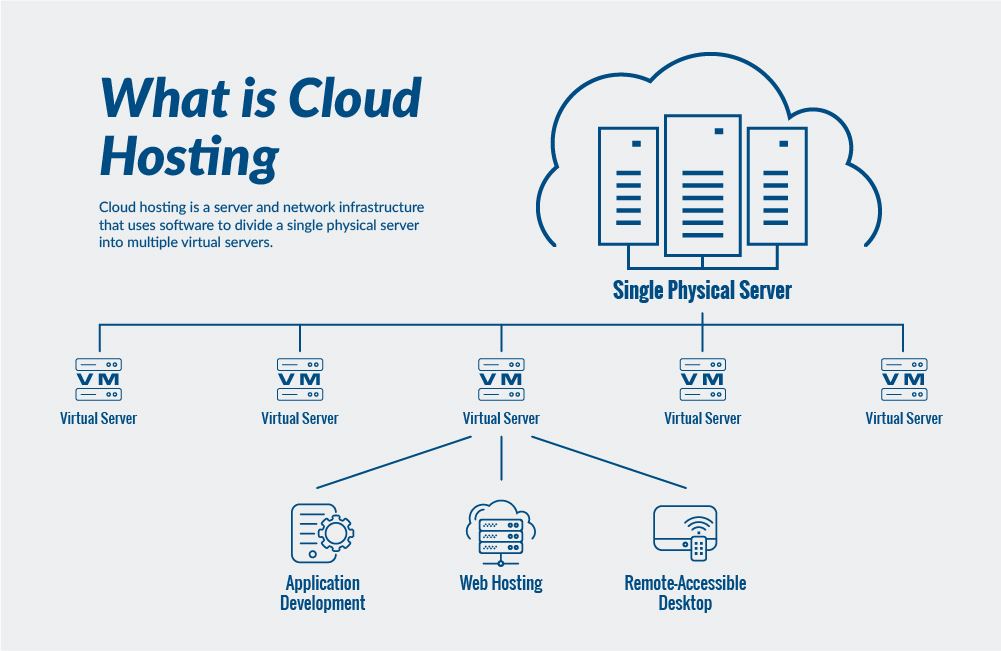
Unleashing Cloud Power: Elevating Hosting with VPS Technology
Cloud VPS (Virtual Private Server) hosting is a type of web hosting service that utilizes cloud infrastructure to provide virtualized server resources to users.
Pioneering Web Solutions with Plesk Hosting Power
Plesk hosting refers to web hosting services that utilize the Plesk control panel as the primary management interface for hosting websites, applications, and other digital assets.

Decoding Control Panels: A Comparative Analysis of Plesk and cPanel
In the realm of web hosting, selecting the right control panel is paramount to managing your website efficiently. Plesk and cPanel stand out as two of the most popular control panels, each offering a unique set of features and functionalities tailored to meet the diverse needs of website owners and administrators.
Ready to optimize your hosting?
Explore our enterprise-grade hosting plans designed for speed, security, and scale.