AIOSEO Review: Advanced SEO Toolkit for Keyword Rank Tracking and SEO Revisions
AIOSEO (All in One SEO) is a powerful SEO toolkit designed to simplify and enhance your search engine optimization efforts. With advanced features like keyword rank tracking and SEO revisions, AIOSEO provides the tools you need to optimize your website effectively and stay ahead of the competition.
Introduction
In the competitive world of online marketing, having a comprehensive SEO strategy is essential for success. AIOSEO (All in One SEO) is a powerful SEO toolkit designed to simplify and enhance your search engine optimization efforts. With advanced features like keyword rank tracking and SEO revisions, AIOSEO provides the tools you need to optimize your website effectively and stay ahead of the competition.
What is AIOSEO?
AIOSEO is an all-in-one SEO solution that offers a suite of features to help you manage and improve your website’s search engine performance. It provides tools for on-page optimization, content analysis, and performance tracking, making it a valuable asset for both beginners and experienced SEO professionals.
Key Features of AIOSEO
-
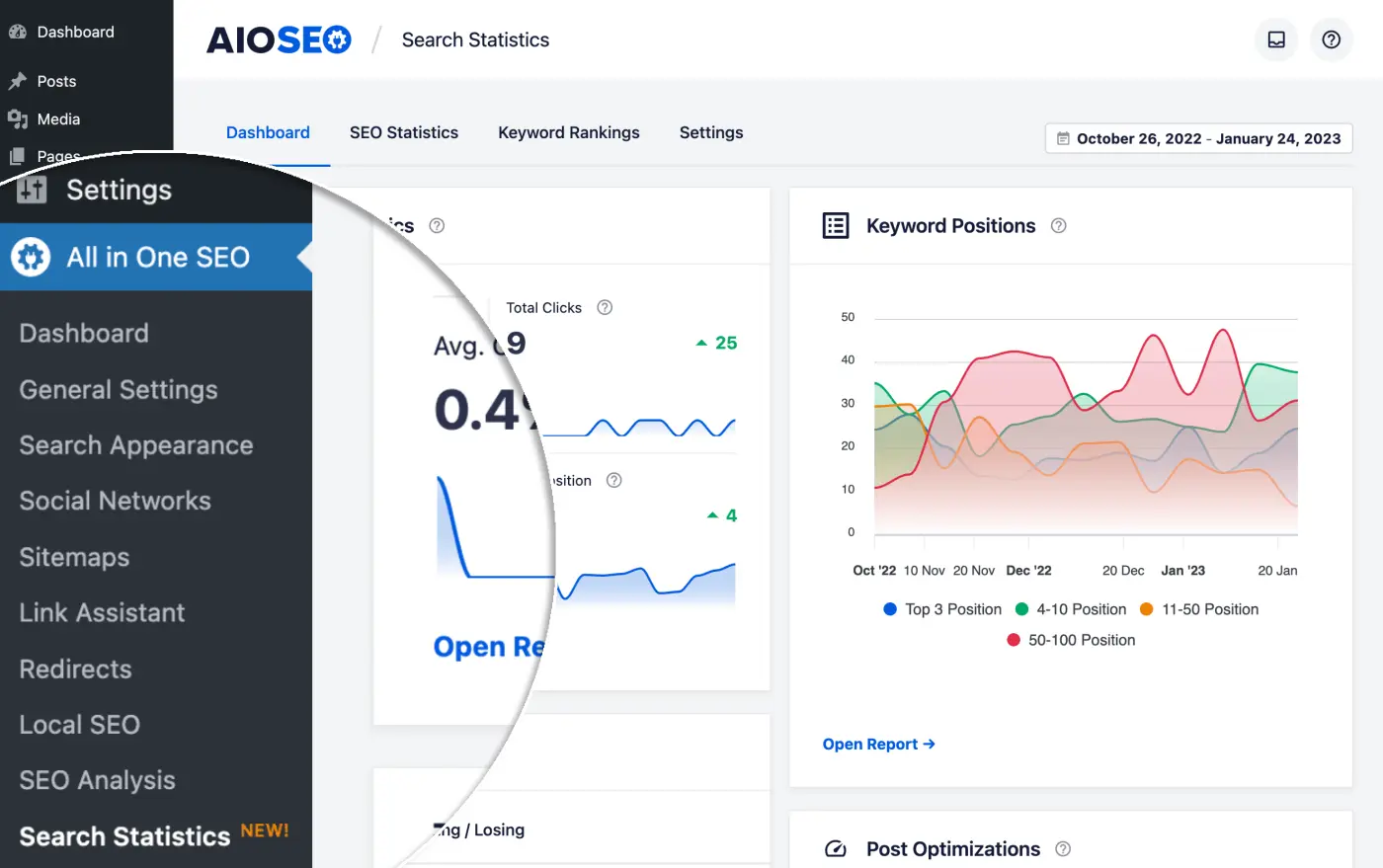
Keyword Rank Tracking: Monitor how your target keywords perform in search engine results pages (SERPs) over time. AIOSEO’s rank tracking feature helps you identify trends, measure progress, and adjust your SEO strategy accordingly.
-
SEO Revisions: AIOSEO allows you to track and manage changes made to your SEO settings. This feature ensures that you can review and revert to previous configurations if needed, maintaining consistency and effectiveness in your SEO efforts.
-
On-Page SEO Analysis: Get detailed insights into your website’s on-page SEO, including meta tags, keyword usage, and content quality. AIOSEO’s analysis tools help you optimize your pages for better search engine visibility.
-
XML Sitemaps: Generate and submit XML sitemaps to search engines to improve the indexing of your website’s content. This feature helps ensure that search engines crawl and understand your site effectively.
-
Social Media Integration: Optimize how your content appears on social media platforms with integrated social media features. AIOSEO enables you to customize social media metadata, enhancing your content’s visibility and engagement.
Benefits of Using AIOSEO
1. Comprehensive SEO Management
AIOSEO provides an all-in-one solution for managing various aspects of SEO. From keyword tracking to on-page optimization, you can handle all your SEO needs from a single platform.
2. Enhanced Visibility and Rankings
By utilizing AIOSEO’s advanced features, you can improve your website’s search engine rankings and visibility. The toolkit’s insights and recommendations help you implement effective SEO strategies.
3. Time Efficiency
AIOSEO streamlines the SEO process, saving you time and effort. Its user-friendly interface and automated features allow you to focus on creating quality content while the toolkit handles the technical aspects.
4. Data-Driven Decisions
With access to detailed analytics and performance reports, AIOSEO helps you make data-driven decisions. You can track your progress, evaluate the effectiveness of your strategies, and make informed adjustments.
How to Get Started with AIOSEO
- Install and Activate AIOSEO: Add the AIOSEO plugin to your website and activate it through your WordPress dashboard.
- Configure Settings: Set up your SEO preferences and integrate keyword tracking and revision features according to your needs.
- Monitor and Optimize: Use AIOSEO’s tools to track keyword performance, analyze on-page SEO, and make necessary adjustments to improve your site’s search engine rankings.
Conclusion
AIOSEO is a comprehensive SEO toolkit that offers advanced features like keyword rank tracking and SEO revisions to help you optimize your website effectively. By leveraging AIOSEO’s capabilities, you can enhance your search engine visibility, improve rankings, and achieve your online marketing goals.
Table of Contents
Share this article
Get More Insights
Subscribe to our newsletter for weekly cloud tips.
Related Articles
View All →
How To Fix SSL Issues in WordPress: Avoid Insecure Site Warnings and Broken Functionality
SSL (Secure Sockets Layer) issues in WordPress can cause various problems, such as your site being marked as insecure, browser warnings, or broken site functionality
The Ultimate Guide to WordPress Hosting: Everything You Need to Know
WordPress hosting is a type of web hosting specifically optimized to run WordPress websites. It includes features and services tailored to enhance the performance, security, and management of WordPress sites. While you can run WordPress on various types of hosting, dedicated WordPress hosting offers the best experience.

How to Get Your Website and Web Hosting Done: A Step-by-Step Guide
Creating a website and getting it hosted may seem daunting if you’re new to the process, but it’s easier than you think. This guide will walk you through the steps to get your website up and running, from choosing a hosting provider to launching your site.
Ready to optimize your hosting?
Explore our enterprise-grade hosting plans designed for speed, security, and scale.